

SOFT OPENING


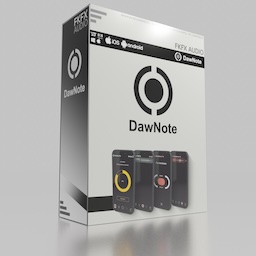
DawNote

Mobile… to Plugin

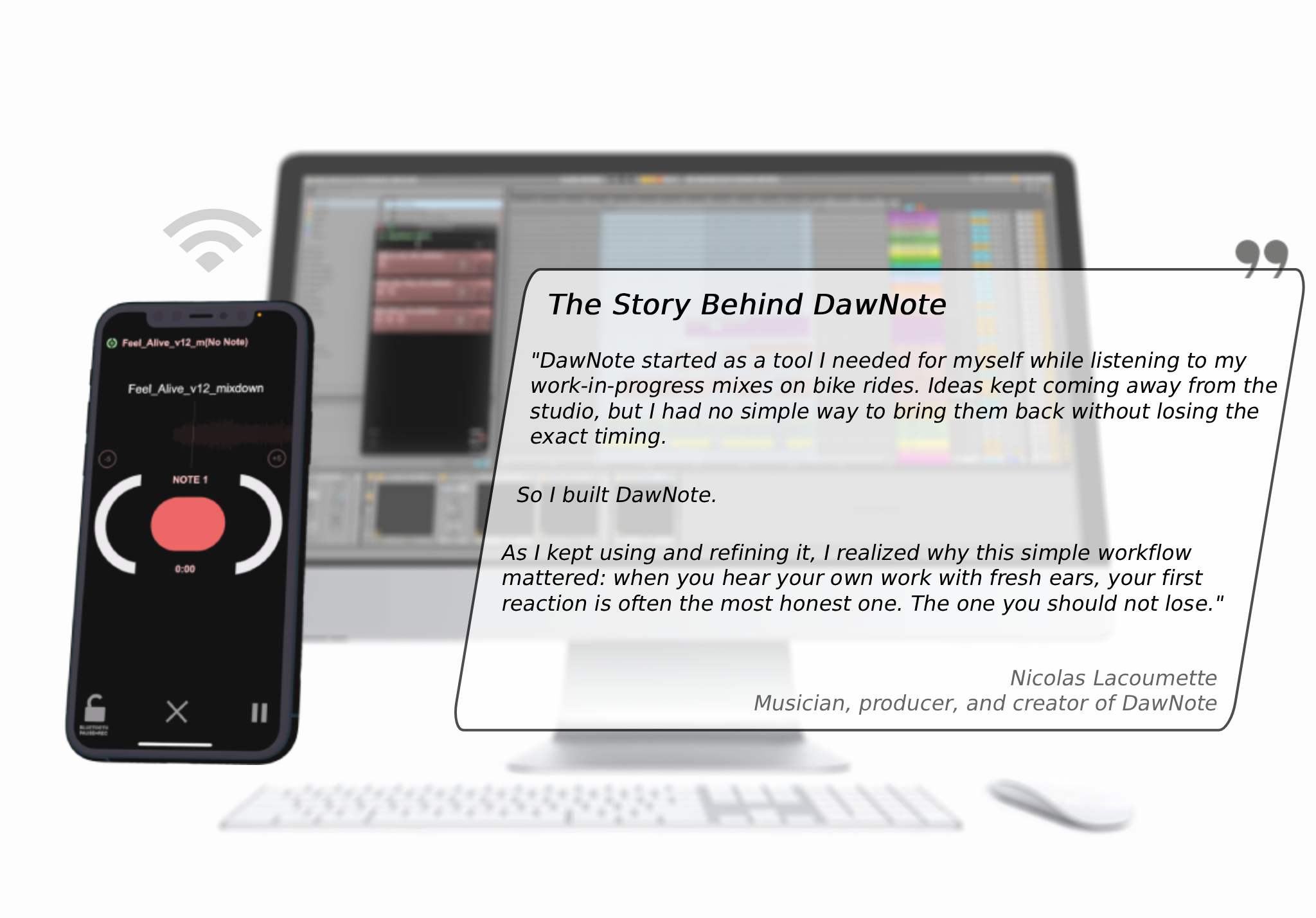
Walk outside. Listen differently. Return with real mix decisions instead of vague memories — whatever music you make.

Send mixes from your computer to your phone in seconds, capture timestamped voice notes hands-free, then send them back perfectly synced to your DAW — no more scattered notes, forgotten timestamps, or disconnected ideas.

Keep your creative flow connected across your studio and your phone. Take your projects anywhere, come back with clear decisions, and finally finish the tracks that matter most.

With DawNote Pro, unlock larger projects, more tracks, and longer recordings. Add Studio Stream to listen through your studio speakers while capturing notes on your phone over Wi-Fi, and compare mixes in real time with A/B References.

Get started with DawNote for free — desktop app and plugin included.

*Compatible with all major DAWs — Ableton Live, Logic Pro, FL Studio, Bitwig Studio, Pro Tools, Cubase, Reaper, and more.

WATCH VIDEO

Full Workflow Demonstration

Capture Your First Instinct

Record synced voice notes directly from your phone whenever inspiration strikes. Bluetooth Pocket Mode lets you capture ideas hands-free, even with your phone in your pocket.

Simple workflow, big results

Get all your synced notes back into your DAW in one click: your ideas land exactly where they belong, instantly — with your feedback already organized, timed, and ready to apply to your mix.

Instant Wi-Fi Transfer

Get your current mixes on your mobile in just a few seconds via Wi-Fi, then send your recorded notes back to your studio just as easily. Your studio and your phone, connected.

A/B References (Pro)

Load up to two sets of reference tracks and compare them against your current mix in real time, perfectly synced — whether you’re tracking your progress, comparing different versions, or matching your work against the mixes you love most.

Studio Stream (Pro)

Listen to your mixes on your studio speakers, controlled entirely from your phone. Adjust volume and take notes simultaneously, with zero quality loss over Wi-Fi.

Collaborate Without Barriers (Pro)

Share projects with other artists, exchange timestamped notes as WAV files, and let your collaborators drop them straight into their DAW — no complicated setup required.

  • FREE
  • VST3 / AudioUnit Plugin
  • DawNote Studio Standalone
  • Windows / Mac

Get the Mobile App!

Title for This Block

Get the App!

DawNote Features

DawNote Features

  • Connect Mobile to Plugin (Free & Pro)
  • iOS & Android Version
  • One-Click DAW Sync
  • Instant Wi-Fi Transfer
  • MP3, WAV, AIF Support
  • Note Replay
  • Note Pre-Roll Context
  • Note Scrubbing
  • Bluetooth Headphone Support
  • Page Swipe Optional
  • Note References
  • Project Management
  • Note Queue (Pro)
  • Password-Protected Project Sharing
  • Input Level Adjustment
  • Playback Position Saving
  • Fully Working Free Version
  • 22 Languages Support (EN, FR, ES, DE, IT, PT, NL, SV, DA, FI, NO, ZH, RU, JA, AR, FA, UR, HE, KO, PL, TR, HI)
  • Sync on Startup Option
  • Direct Load Files on Phone
  • Voice Note Recording
  • Note Management
  • Pre-Roll Time Setup
  • MIDI Controller Recording Trigger
  • Pocket Mode (False Lock)
  • A/B Reference Tracks (Pro)
  • Studio Stream (Pro)
  • Color Tagging System
  • WAV Note Export (Synced)
  • Audio & MIDI Settings
  • Manual IP Connection
  • Light Mode

Download


Note : Email is required to install DawNote on your computer

  • FREE
  • Version 1.0.1
  • VST3
  • AudioUnit
  • DawNote Studio Standalone
  • Windows
  • Mac

Minimum Requirements

PC / Mac (Plugin/Standalone) Minimum Operating System: Windows 10 / macOS 10.13 (universal support for Intel and Apple Silicon) CPU: 2 GHz or faster Memory: 4 GB or more Software: Any DAW supporting VST3 or Audio Unit plugin standards: Logic Pro 11, Ableton Live 12, Cubase 13, Nuendo 13, Studio One 6, REAPER 7, FL Studio 21, Reason 12.5, Maschine 2, Cakewalk by Bandlab, Bitwig Studio 5, Digital Performer 11, Tracktion Waveform 12, Mixcraft 10, GarageBand, Samplitude Pro X7, Ardour 7, MuLab 9, Renoise 3.4. All plugin formats in 64-bit only.. If you are using an outdated OS please try our free app version to ensure compatibility first. We are not able to support all outdated OS, as well as 32-bit VST2 versions.

Note: AAX format (Pro Tools) is currently in development and will be available in a future update. In the meantime, Pro Tools users can fully enjoy DawNote Studio by receiving notes directly from the mobile app and dragging & dropping them into their Pro Tools session. The key advantage of the plugin version lies in its filter system: notes can be sorted and filtered directly within the plugin interface, and those filter settings are saved per DAW project, ensuring a seamless and persistent workflow. The standalone desktop app features the exact same filter system, offering an identical experience for users who prefer to work outside of a DAW environment.

iOS (Mobile) Minimum Operating System: iOS 16.0 or later Device: iPhone 6s or newer / iPad (5th generation) or newer Memory: Minimum 3 GB RAM / Recommended 6 GB RAM or more Storage: 50 MB available space

Android (Mobile) Minimum Operating System: Android 8.0 (API level 26) or later CPU: 2 GHz or faster Memory: Minimum 3 GB RAM / Recommended 6 GB RAM or more Storage: 50 MB available space


Unbox More:

We are happy to help !

Click to jump to support / enquiry form